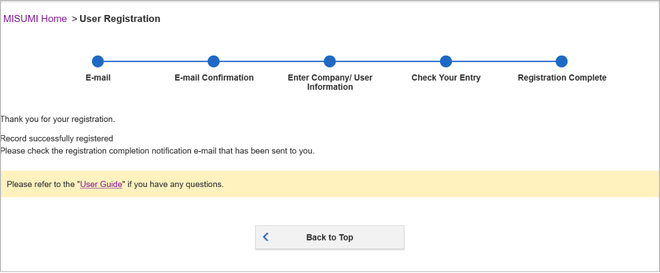
Flow of User Registration
Register with MISUMI
-
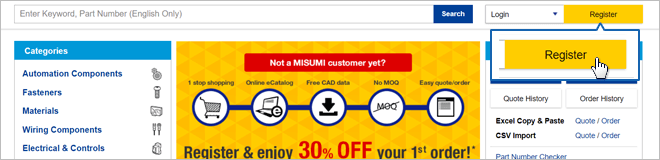
Click on "Login / Register" on the top right portion of MISUMI Website.
Afterwards, click on the Yellow "Register Now" Button.
- Web User: Individual user with access to eCatalog and CAD data download but without quotation and order permission.
- Corporate User: Corporate user with access to eCatalog, CAD data download, price check on eCatalog, quotation and order.
The registration flow is as follows:
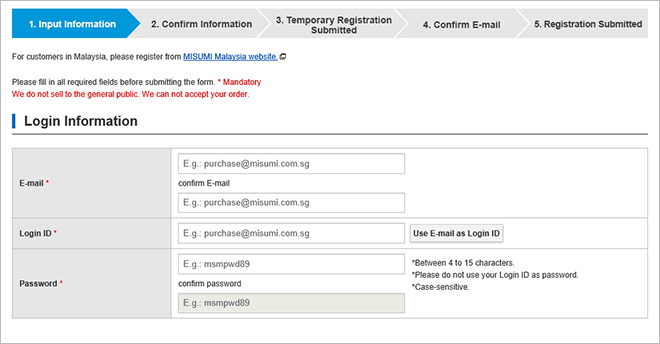
1 Key in your email address
Key in your email address and press Next.
Note: Afterwards, kindly check your email inbox (Junk & Spam too) for the verification email. Click the link within email to continue the registration process.
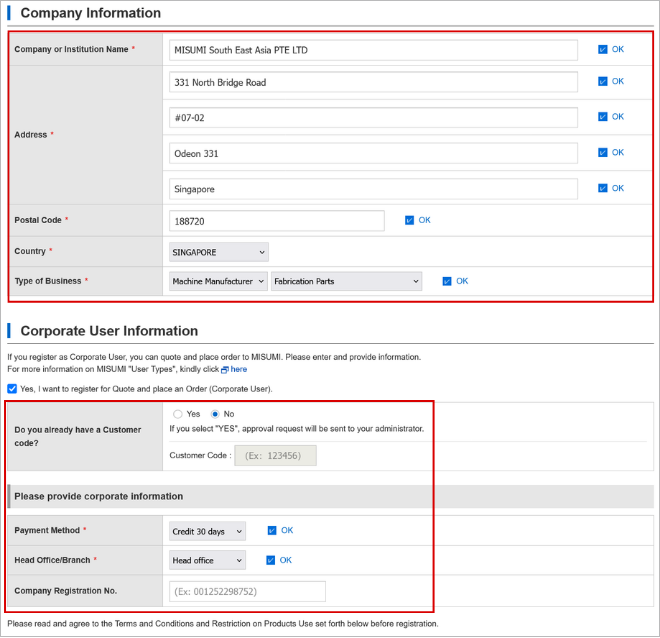
2 Enter Company / User Information
Fill in the registration form accordingly. Once completed, submit the registration form.
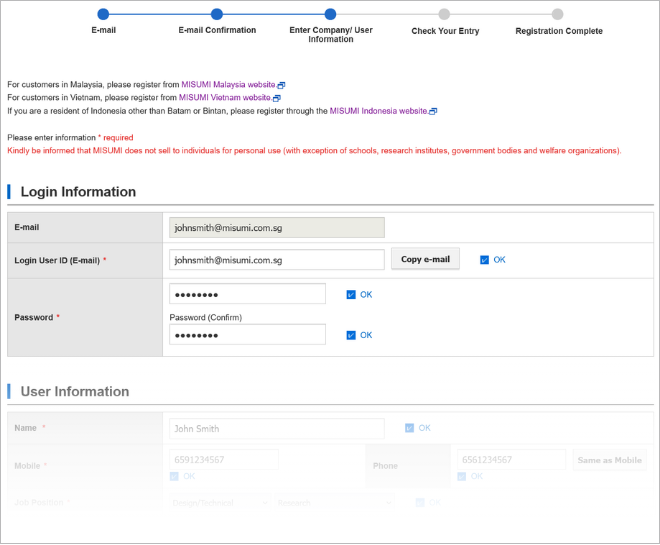
Note: If you are registering as a corporate user / account (Account that has access to order & quotation), please ensure your Company Details (E.g., Address, Business Registration Number if any), are accurate.
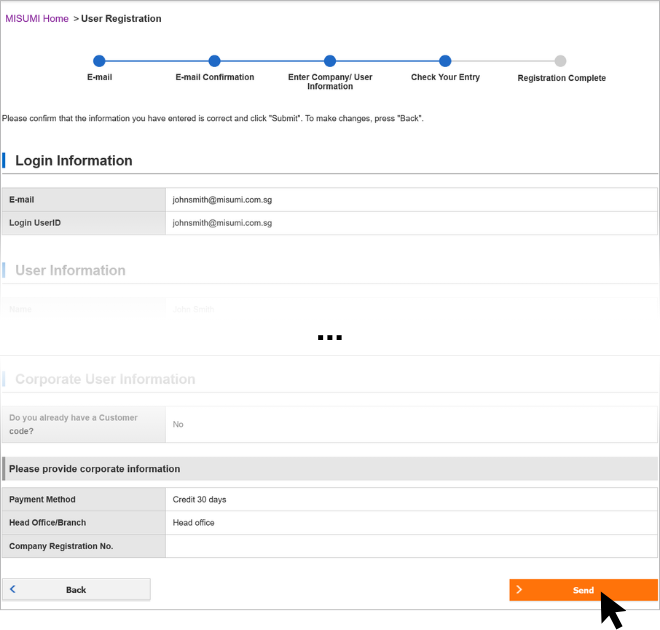
3 Confirm your registration details
Simply confirm your registration details, & press next at the bottom of the page.
4 Your account registration is completed!
Upon seeing the registration completion screen, You can finally start browsing with your MISUMI account.