(!)Due to
Microsoft's end of support for Internet Explorer 11 on 15/06/2022, this site does not support the recommended
environment.
Instead, please kindly use other browsers like Google Chrome, Microsoft Edge or Mozilla
Firefox.
- Website Upgrade Completed! System improvements are now LIVE to improve your Ordering experience. You may be logged out after the website update, please log in again.
How to Check Delivery Status?
- 1.Log in to your account: https://sg.misumi-ec.com/
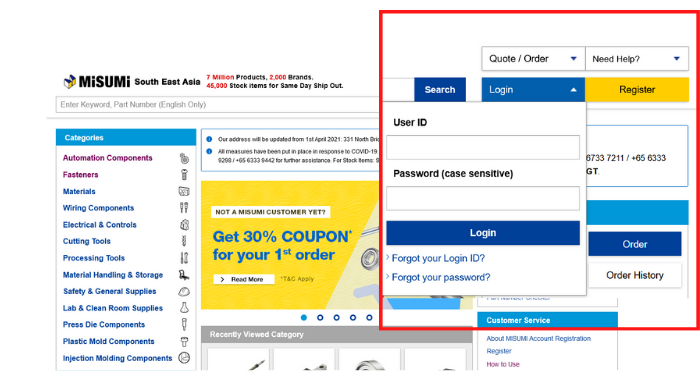
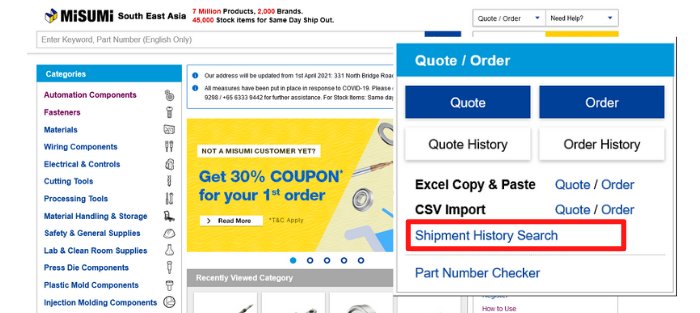
- 2.Click on the Order History Button on the top right corner.
- 3. You may search for order(s) that you would like to check shipping status with the search filters.
Tip: Relevant Filters include the following:
a Customer PO Reference
b Order No.
c status
d Ship date
Click the "Other Conditions" text to show more filtering conditions.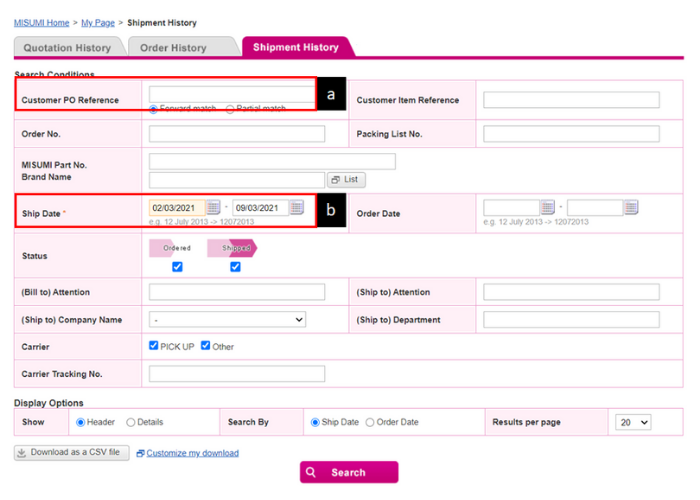
4. After filtering for your desired order(s):
a Click on "Track this Order" to view details
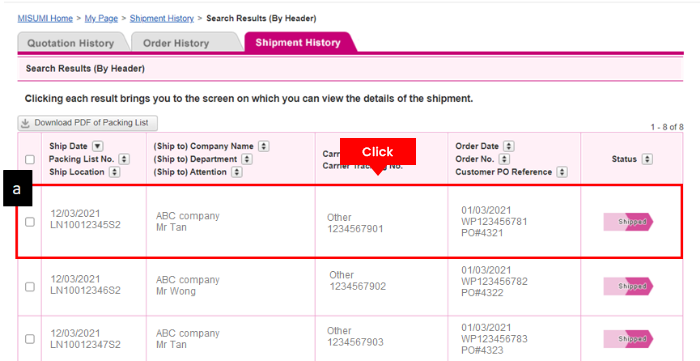
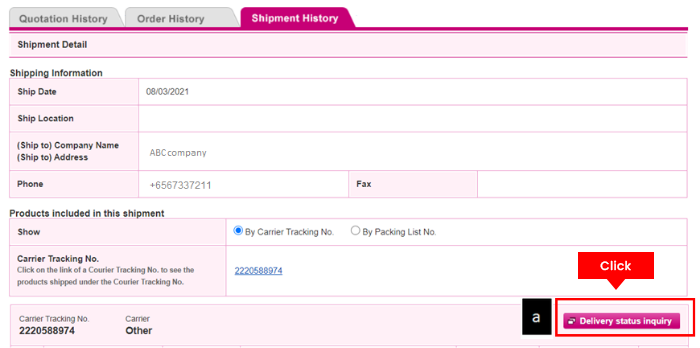
5. You may view Delivery / Shipping Status here:
The following will be displayed:
a Shipment Tracking Code / Link (Will be shown once status is Ready for Shipment)
b Shipping Status
Why MISUMI?
Experience the MISUMI Advantage when you browse & order with us.
-
Wide Range
 7 Million Items
-
MISUMI Quality
 Affordable Options
-
Empowering Design
 Free CAD Data
-
Save Time
 Prompt Delivery
-
Always Here To Help
 Customer Support
Need Any Assistance?

Contact us via our Inquiry Form
for assistance!
 Automation Components
 Fasteners
 Materials
 Wiring Components
 Electrical & Controls
 Cutting Tools
 Processing Tools
 Material Handling & Storage
 Safety & General Supplies
 Lab & Clean Room Supplies
 Press Die Components
 Plastic Mold Components
 Injection Molding Components
Help
Payment Method
- Credit Card
- PayPal
- Bank Transfer



Social Media
MISUMI Contact
Copyright © MISUMI Corporation All Rights Reserved.