Request a Quote
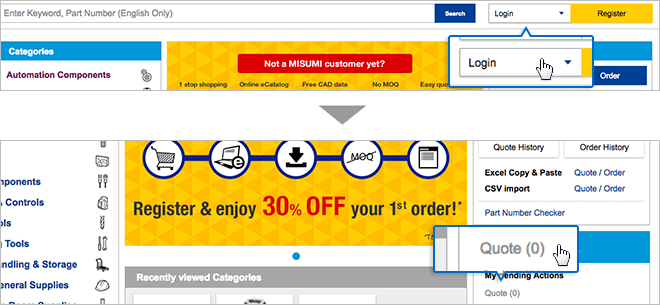
1 Log in to start requesting a quote
1. Please log in at the top right corner on top page.
2. Click on “Quote”.
2 Fill in Quote information
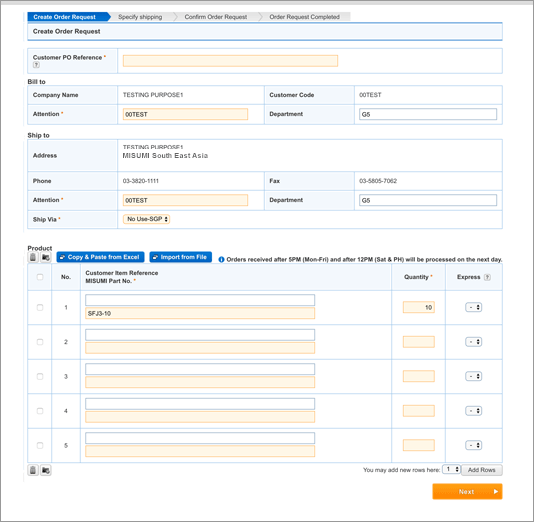
Now you can quote in the updated part number entry page. In this page, you can add in part numbers for order / quotation in two ways: Manual Entry or Mass Entry.

Manual Entry: Type in Part Number.
Key in the following details:
1) Customer Job No. (For easy reference)
2) Part No.
3) Quantity
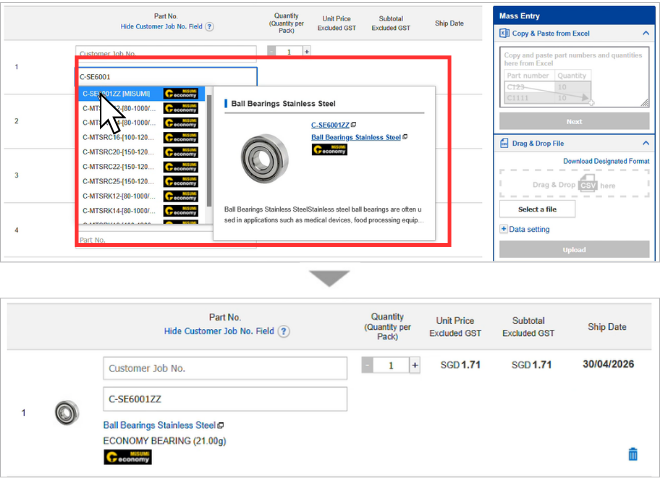
As you type in part numbers, smart part number suggestions will appear, providing visual verification so you can confirm every part before you enter.
Mass Entry: Copy & Paste Excel
If you have a large number of part numbers to order / quote, the Copy & Paste Excel feature allows to add in part numbers within seconds.
Open your excel file, containing customer job no., part number and part quantity. Copy and Paste the data (without headers) to the Copy & Paste Box.
*Part number and Part Quantity data are mandatory for Copy & Paste Function.
Please copy data only, not the headers from your file.
You can copy and paste a maximum of 500 rows.
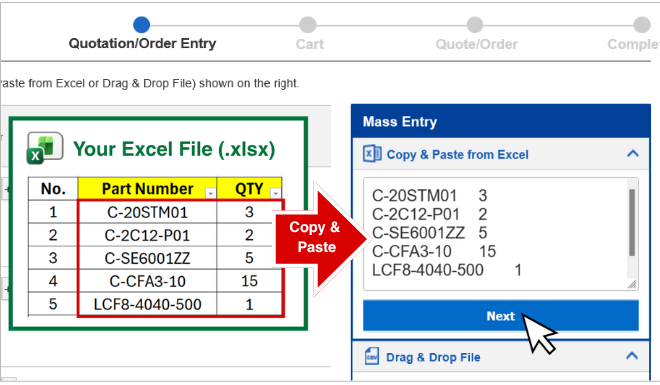
After pasting your part numbers and quantity, press "Next".
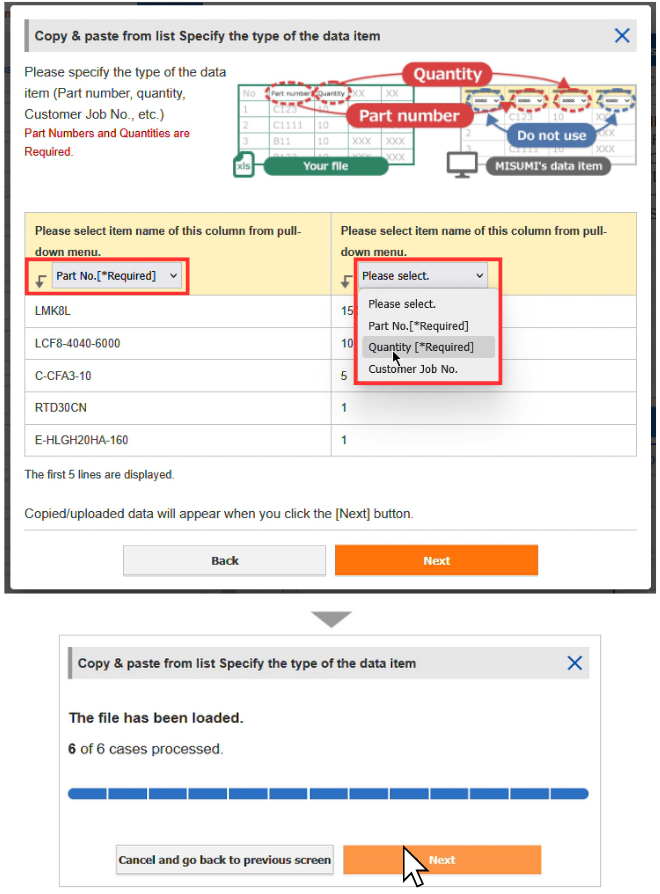
A popup will appear. Please select the correct data type corresponding to your pasted data. Press "Next" after each step.
Mass Entry: Bulk List CSV Upload
If you prefer to upload your BOM List at a go instead of copy & paste, you can use the "Drag & Drop File" Function to upload CSV files. Please ensure that the CSV file contains part numbers and quantity header & data.
You can Download the Designated Format CSV File for reference within the same page.
*Note: The maximum no. of rows for CSV Upload is 500 rows.
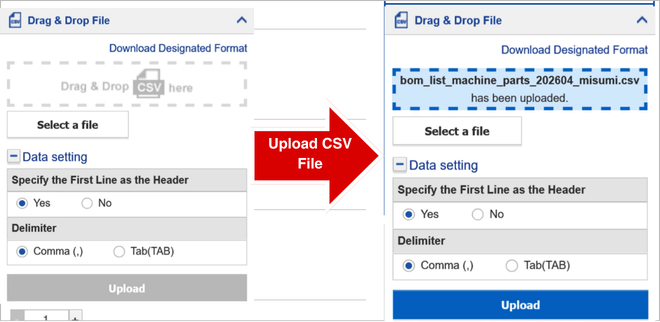
After the file is loaded, press "Upload". The next steps are the same as the previous method.
Auto Part Number Check in real time
MISUMI's updated Quotation Experience now validates part numbers in real time as you add parts, instead of checking all part numbers after you press "Proceed to Quote". This update allows quick resolution of warnings or notices for your keyed in part numbers.
If your part number requires support, press  for assistance.
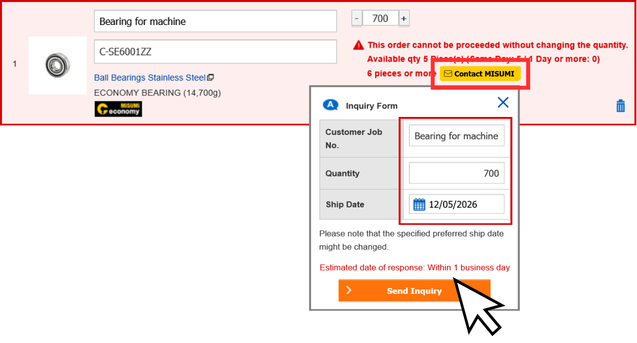
Do note that parts requiring "Contact MISUMI" will be excluded from your quotation / order parts list.
You can process the parts to quote / order through the inquiry list after MISUMI Team has replied.
3 Confirmation of Quote Request
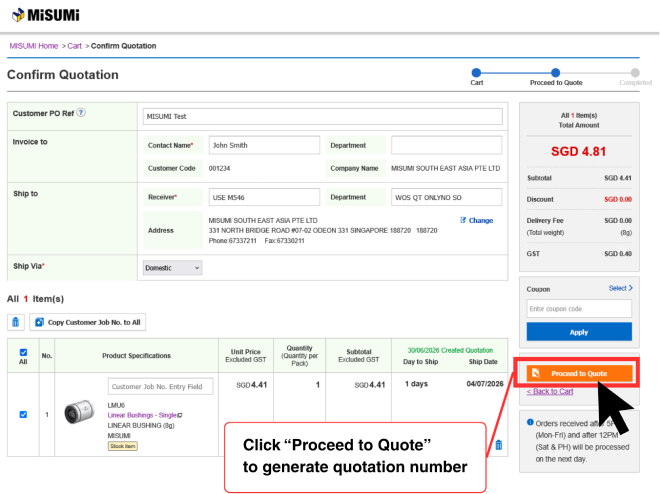
After pressing "Proceed To Quote", please confirm necessary details, including the below:
1) Shipping Details
2) Product Details (QTY, Pricing, Part Number, etc)
3) Total Payable Amount
Press Proceed to Quote to submit it.