Product Claims
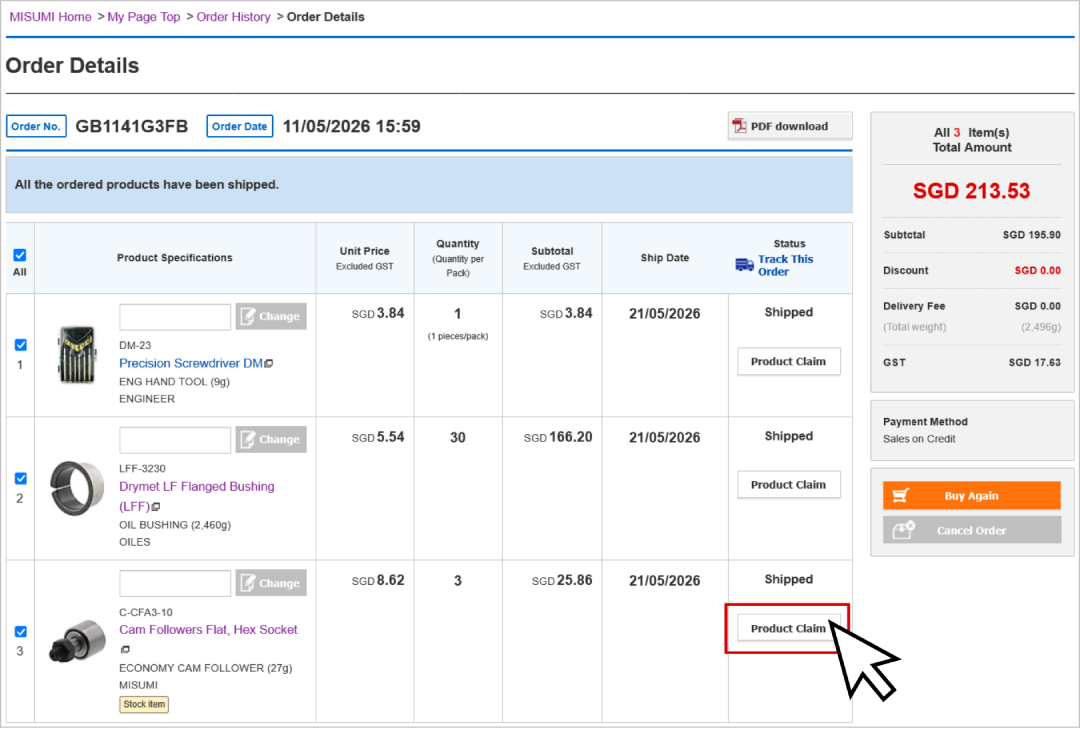
MISUMI's updated website allows you to raise product claims directly from your order details page, instead of sending a separate email / inquiry to MISUMI.
If you would like to raise a product claim, please click on "Product Claim" button next to the eligible product.
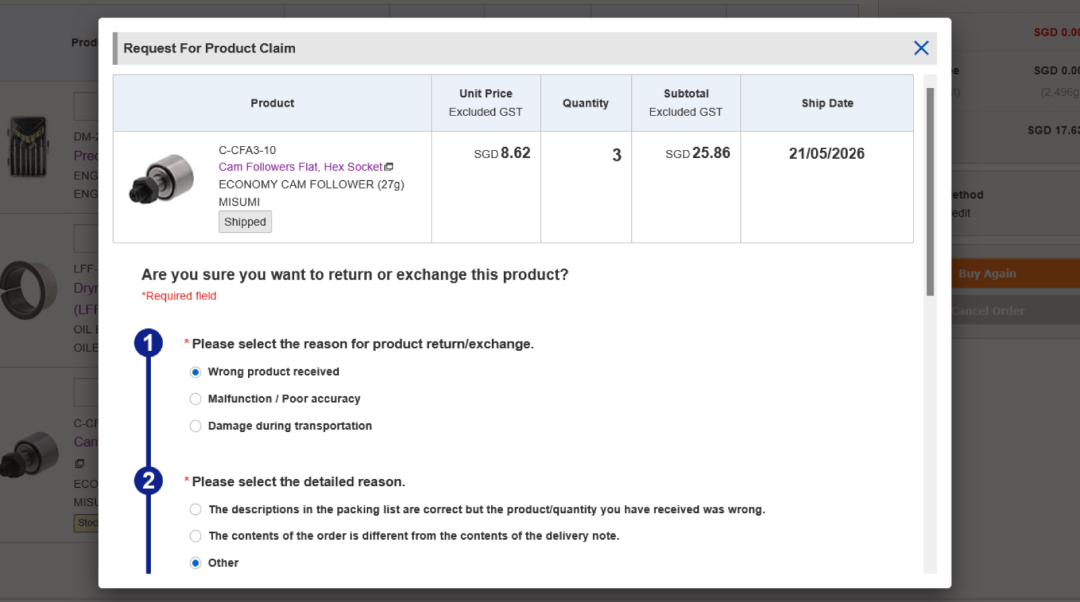
Filling in Product Claim Form
Follow through the steps indicated within the form. For MISUMI to assist with your product claims ensuring a smooth experience, please put in details that accurately describes your claim issues.
Take note:
When uploading files (images/videos) within the product claim request form, kindly note the maximum file size is 10 MB.
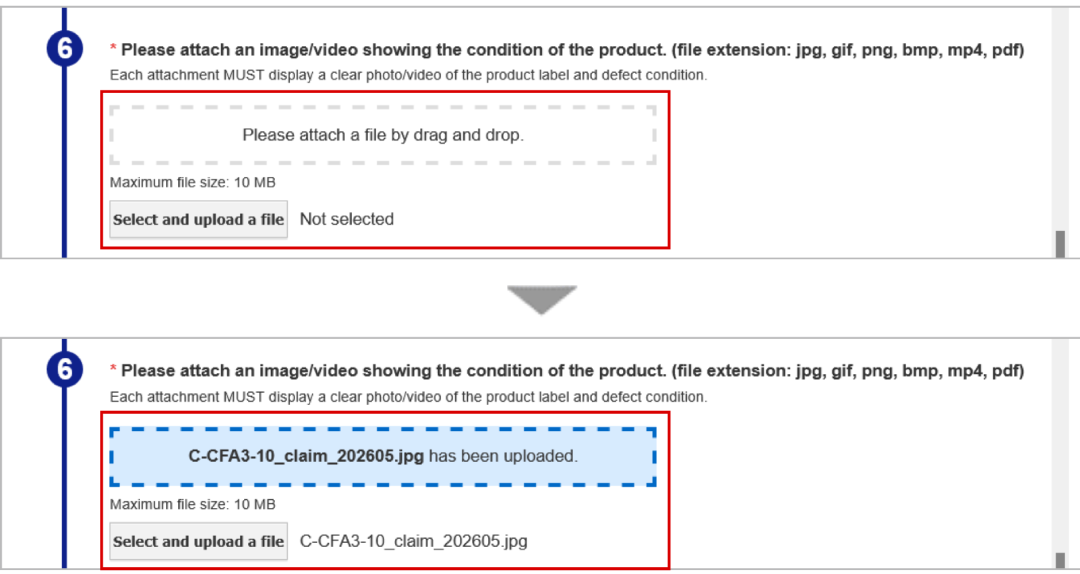
Please upload only the following file formats: jpg, gif, png, bmp, mp4, pdf
Tips for product images / videos:
1. Clear Visibility: Damage, malfunction, or product defect must be completely visible and in sharp focus.
2. Comparison: For batch product claims, please place good vs affected batch products side by side comparison (e.g., showing color differences, surface treatment differences, etc.)
3. Measurements: For wrong specifications e.g. wrong dimensions claims, please show measurements in photos (e.g., show measurements from vernier caliper, measuring tape, weighing scale, etc.)
4. Functional defects: For functional defects, video upload is encouraged (e.g. product not moving despite correct cable connections).
5. No Sensitive Confidential data to be included.
Submitting Product Claim Form
After filling all necessary details & attached files, click the orange "Confirm" button to submit.
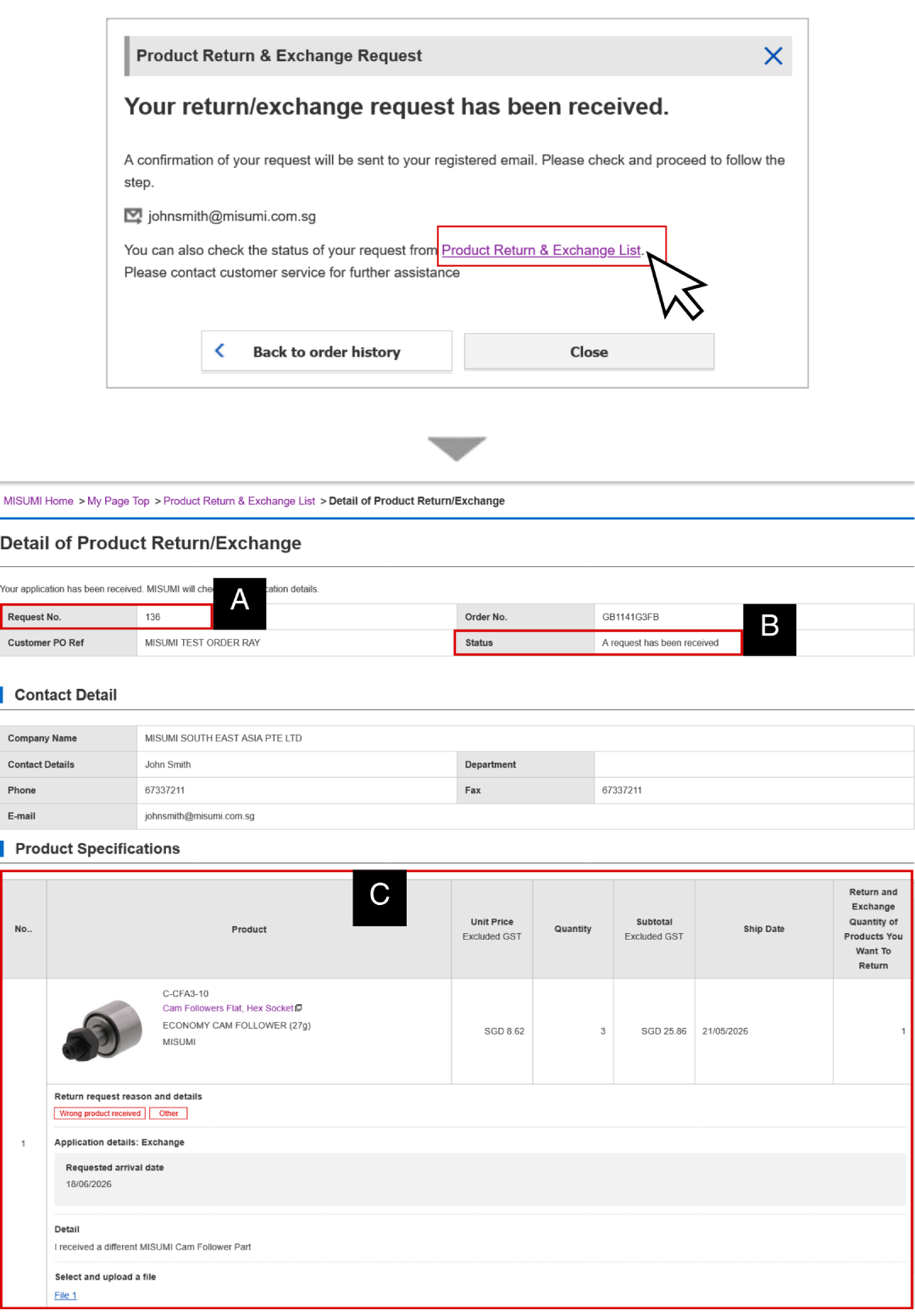
You can click on the "Product Return & Exchange List" to view the request details. Each request will be assigned a Request Number [A], and show the latest request status [B].
Request / product details are shown as well [C].